 ZeroThink
Normal Agent
Ask in plain English. ZMath gives a practical answer first, not a confusing experiment dump.
Green agent powered by Zero Boundary Algebra
Ask normally. ZMath answers normally, then uses the deeper 3-6-9 reset, 8 mirror, -0/+0 boundary, and recursion tools underneath when they help. It can analyze text, files, workflows, prompts, and create portable ZME1 encryption files locally in your browser.
Z/9Z; the research layer adds boundary-state notation for useful agent planning, reset logic, file fingerprints, and encryption metadata.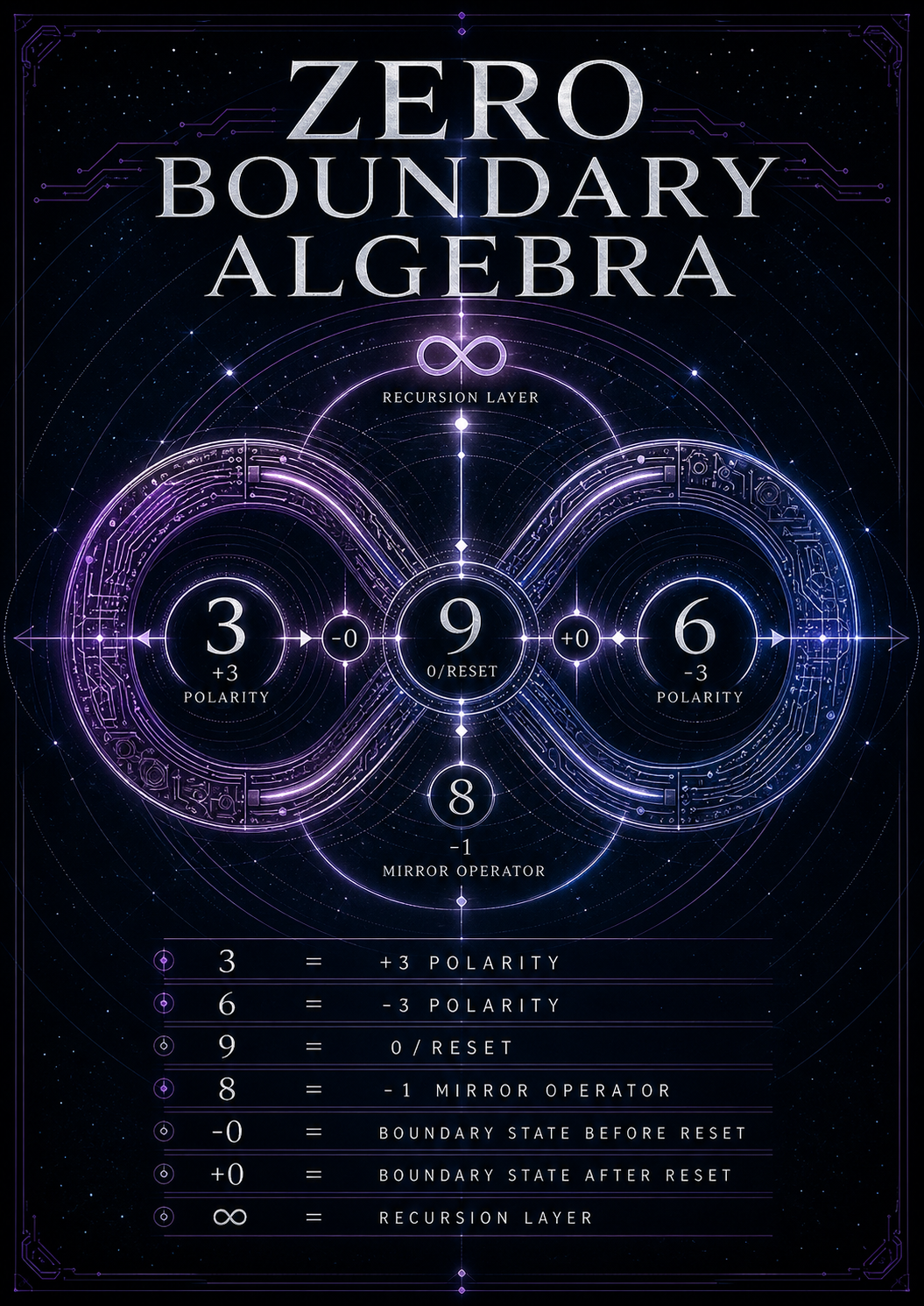
Ask in plain English. ZMath gives a practical answer first, not a confusing experiment dump.
Upload a text/code/research file and ZMath creates a deterministic boundary fingerprint and workflow suggestion.
Create portable AES-GCM encrypted files locally with password, optional pattern image, and ZMath metadata.
Trace reset/mirror cycles, export a state machine, and use packet metrics when you need the deeper layer.
This is the normal agent lane. The math layer stays underneath unless you open the lab output.
Ready. Ask ZMath to get a practical answer first, with lab tools underneath.
Upload a text, code, config, markdown, or research file. ZMath reads a safe preview and returns a file fingerprint, reset/mirror mode, and practical next action.
Create a portable encrypted file for ZMath workflows. This uses browser encryption APIs: AES-GCM-256 plus PBKDF2-SHA256. ZMath metadata adds fingerprints and boundary labels; it is not magic security.
The agent stays simple at the top. This lab area shows the deeper research machinery: polarity, reset, mirror, directional zero, recursion, and exportable system design.
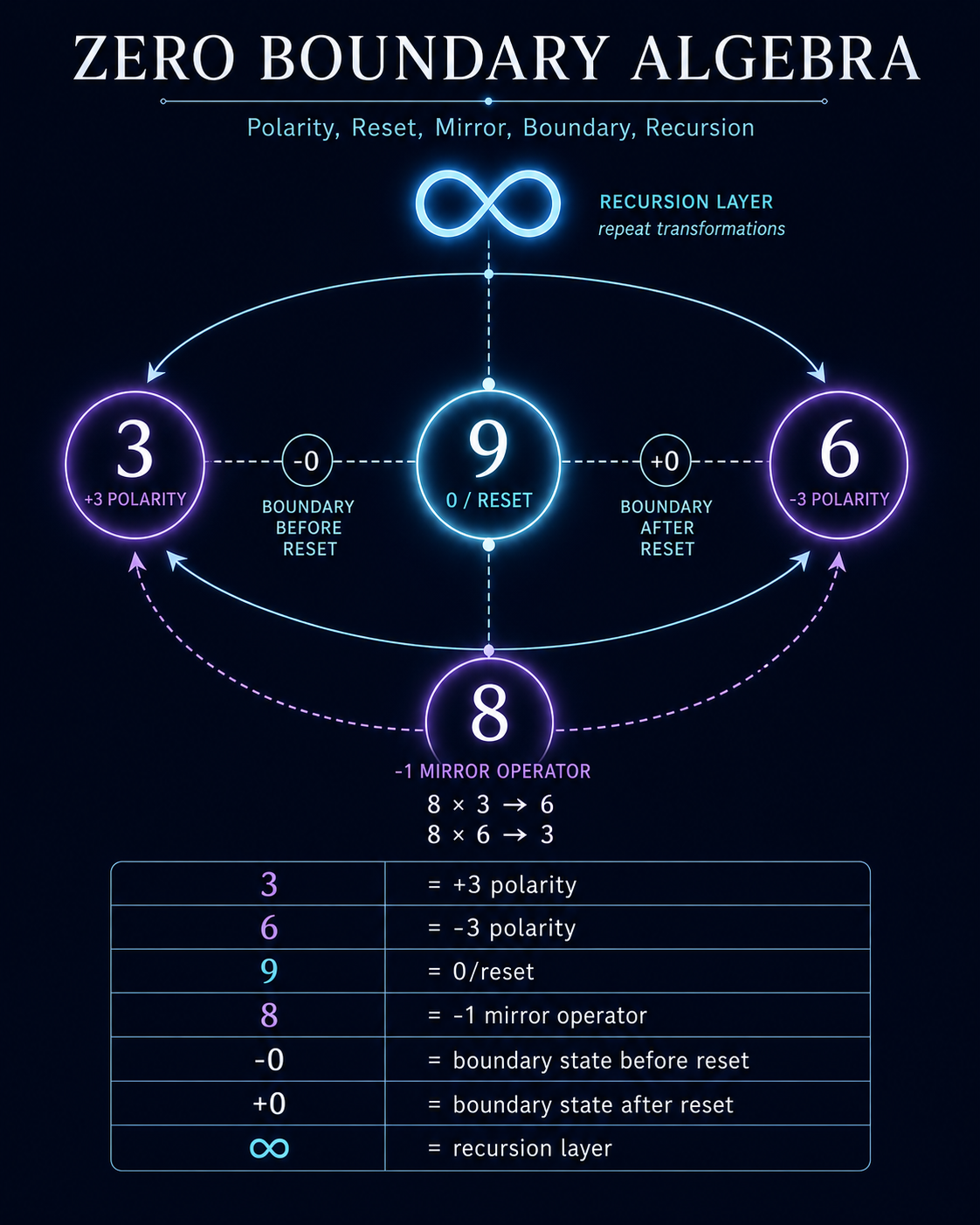
This is useful because software often fails at transitions. ZMath keeps the transition visible instead of flattening everything into a single zero.